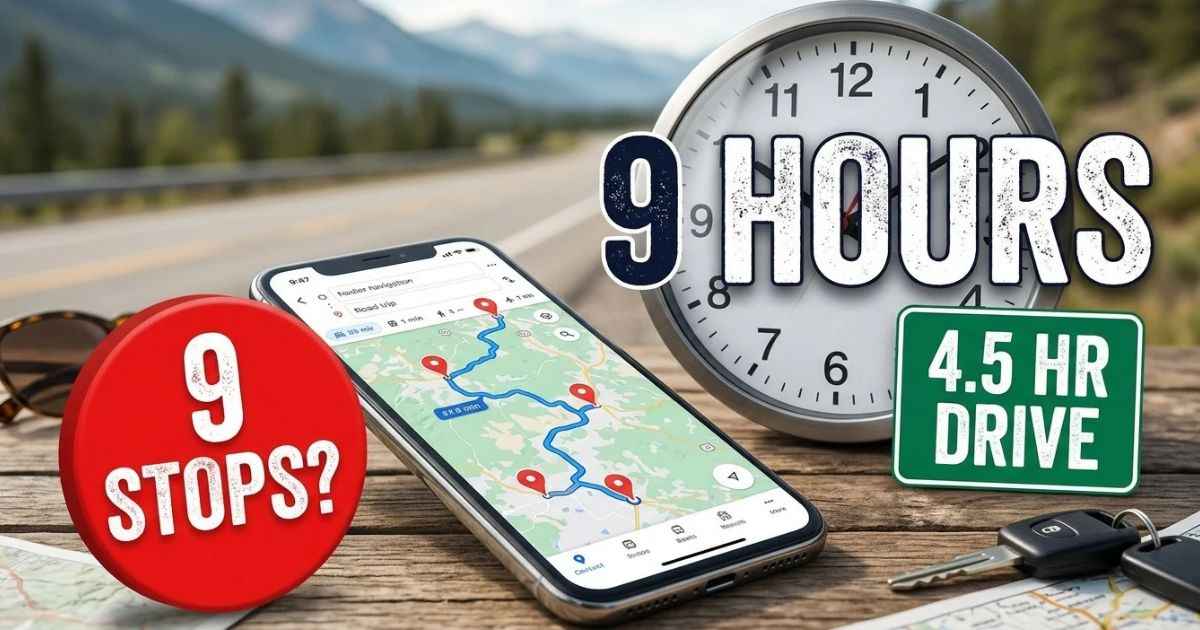
To plan a road trip, pick your dates and end points, then build the route around a few must-see stops. Next, set a driving day you can really finish, estimate your costs, and check your car. Last, check roads, weather, and park rules close to departure.
A road-trip day can take longer than your map estimate once you add meals, fuel, walks, and sightseeing stops. This guide shows how to avoid that.
1. How to Plan a Road Trip Around Your Dates and Destination
Start with the big choices. They shape everything else, so make them first.
- Pick your start point and end point.
- Decide if the trip is a loop or one-way.
- Set the dates you have.
- Name the main goal, such as sightseeing, family visits, outdoor fun, or reaching a far place.
- Choose a daily driving target you can live with.
One Reddit commenter described their style as “an outline with room to improvise.” That is a good way to think about it. Plan the basic route and key bookings. Leave the rest loose.
One travel guide says its author likes to average no more than three hours of driving per day. That is a personal choice, not a rule. Pick a number that fits your own trip.
2. How to Plan a Road Trip Route and Choose Stops
A good route starts with your top places, not a long list of small ones. Follow these steps in order.
- Write down the places you most want to see.
- Put those places on the route first.
- Pick the towns where you will sleep.
- Add smaller stops only if they fit.
- Compare the real driving time with the days you have.
If the days do not fit, cut stops. A trip made of rushed visits is no fun for anyone.
Not every day needs to look the same. It helps to label each day by its job.
| Day type | Job of the day | Planning idea |
|---|---|---|
| Transfer day | Cover distance | Longer drive, fewer stops |
| Sightseeing day | Enjoy places | Shorter drive, more time out of the car |
| Light day | Rest and reset | Little or no driving |
One US guide suggests a lighter driving day about every third day. It also suggests four to five hours of actual driving on many days. Treat those as ideas, not laws.
How to Plan Daily Driving Time Without Rushing
A map app shows driving time. It does not show your lunch, fuel stop, photo walk, or surprise delay. People on road trip forums ask about this problem often. They want to know how to fit stops in without making the day too long.
Here is an example day. The numbers are made up to show the idea.
| Part of the day | Time |
|---|---|
| Driving, from your map app | 4 hours 30 minutes |
| Breakfast | 45 minutes |
| Fuel stop | 15 minutes |
| Two rest breaks | 30 minutes |
| Lunch | 1 hour |
| One sightseeing stop | 2 hours |
| Total day | 9 hours |
A 4.5-hour drive turned into a 9-hour day. That is why you should add stop time to every day on your plan.
Guides do not agree on how much to drive. One suggests six to eight hours per day. A Reddit reply on a 10-day trip said four hours is a better target if you also want time to explore. A long day can make sense on a transfer day. It is a poor fit for a sightseeing day.
Rest matters too. AAA suggests a break every two hours or 100 miles. That is advice, not a legal rule. NHTSA says getting adequate sleep is the only true way to protect yourself from the risks of drowsy driving. It recommends seven to eight hours of sleep each night. It also says to avoid driving between midnight and 6 a.m., when sleepiness is more likely. NHTSA also names late afternoon as a peak period for drowsy-driving crashes.
How to Plan a Road Trip With Multiple Stops in Google Maps
Google Maps has a limit. Google says a route can have up to nine stops, and the final destination counts as one of them. You can change the order of stops.
Here is a simple way to count. If you add your starting point, one route can have ten places in total. That is why some articles say ten. They count the start. Google’s help page does not.
What if you have 40 stops, like one Reddit traveler? Split the trip into pieces.
- Add your most important stops first.
- Divide the trip into daily routes. Forty stops at nine per route is about five routes.
- Keep one overview map for the whole trip. Google My Maps can help you organize places and layers.
- Use your navigation app for the current day only.
Replies in that Reddit thread said the same thing. Break long routes into smaller sections and use more than one tool.
3. How to Budget for a Road Trip
A budget has two parts. First, list every cost. Second, work out fuel with a simple formula.
Common costs include:
- Fuel
- Places to sleep
- Food and drinks
- Tolls and parking
- Attractions and entry fees
- Rental costs, if you rent a car
- Car wear and surprise repairs
- A reserve for costs that are hard to predict
One guide suggests adding a 20% buffer. That is a planning idea, not a promise.
Use this formula for fuel:
Fuel cost = Trip miles ÷ Car MPG × Price per gallon
Here is an example. A 1,500-mile trip in a car that gets 30 MPG uses about 50 gallons. At a made-up price of 4 US dollars per gallon, fuel costs about 200 US dollars. The 4 US dollar price is only for the example. It is not a real quote.
Use a real price for the states on your route. The US Energy Information Administration (EIA) posts weekly gas price data. Prices change by place and by week.
Should You Book Every Night or Stay Flexible?
Both styles work. The right choice depends on where you are going.
| Book ahead | Stay flexible | |
|---|---|---|
| Good for | Busy places and popular park areas | Open stretches of the route |
| Benefit | You know where you will sleep | You can change plans on the road |
| Trade-off | Harder to change your plans | Fewer choices if places fill up |
| Example | A US guide says to book the key nights | One Reddit traveler books the next night after checking nearby towns |
A middle path works well for many travelers. Book the nights that matter most. Leave the rest open. Also, give the last stop of each day a realistic arrival time, so you do not arrive exhausted.
4. Choose the Right Vehicle and Prepare Your Car
Check your car before you drive hundreds or thousands of miles. Replies in a Reddit thread about long drive days focused on this. They mentioned tires, fluids, and getting an older car ready.
First, decide if your own car or a rental fits the route. Then use this checklist, based on AAA and NHTSA advice:
- Check tire pressure and tread. Use the number on the car’s placard or in the owner’s manual.
- Check engine oil and other fluids.
- Look at lights, brakes, and the battery.
- Check belts and hoses.
- Look at the spare tire and your repair tools.
- Get a professional check if the car needs attention.
NHTSA also says to check your tires before long trips and to plan time for breaks.
5. Check Weather, Road Closures, and National Park Rules
A road can close in the middle of your trip. A park can change its entry rules. A few quick checks can save your day.
- Weather: Check the whole route, not only the place you are going. The National Weather Service says not to travel during a Blizzard Warning. If travel is unavoidable, carry a winter survival kit.
- Road conditions: Use your state’s 511 service. The Federal Highway Administration says 511 does not work the same way everywhere. States and local agencies decide how their services run. California, for example, offers 511 and an online tool called QuickMap through Caltrans.
- Park rules: Check the National Park Service page for your park. Entry rules can change from year to year.
- Seasonal roads: Tioga Road in Yosemite usually runs only part of the year. It typically opens between late May and June and closes sometime in November. Snow and road conditions decide the exact dates.
Two examples show why this matters. On October 29, 2026, Yosemite announced that Tioga Road and Glacier Point Road would temporarily close at 6 p.m. due to a forecast of snow. Yosemite did not need an entrance reservation in 2026. Rocky Mountain National Park required timed-entry reservations during specified periods from May 22 through October 12, 2026.
Check again shortly before you leave.
6. Download Offline Maps and Choose Your Road Trip Apps
Phone signal can disappear. Plan for it.
Google Maps lets you download maps. Offline driving works only if your route stays inside the area you downloaded. Offline navigation does not show live traffic. It also does not offer other routes.
Different tools do different jobs. Here is how road trippers on Reddit described them.
| Tool | Best use |
|---|---|
| Google Maps | Directions and navigation |
| Roadtrippers | Finding and organizing stops |
| AllTrails | Finding hiking routes |
| Atlas Obscura | Finding unusual places |
| Windy | Checking weather |
| Paper road atlas | Backup when apps are limited |
You do not need every tool. For many trips, Google Maps plus one planning tool is enough. Reviews of Roadtrippers on the App Store and Trustpilot include both praise and complaints. Some people liked adding and moving stops. Others reported feature limits and billing problems. These are single customer reports. Check the app’s official site for current plans and prices.
7. Pack a Road Trip Safety Kit and Important Documents
Keep a small kit in the car. AAA lists these items:
- First aid kit
- Jumper cables
- Drinking water
- Blankets
- Flashlight
- Roadside equipment
Add a spare tire, a jack, and a lug wrench if your car uses them. Pack a phone charger and a backup power source. Bring food that will not spoil.
Also carry your papers:
- Driver’s license
- Car registration
- Proof of insurance
- Rental papers, if you rent
AAA says to keep your registration and insurance papers up to date.
8. Follow a Simple Road Trip Planning Timeline
You do not have to do everything at once. Here is an easy order.
| When | What to do |
|---|---|
| Early planning | Pick dates, destination, and the main route |
| Before booking | Estimate costs and choose key overnight stops |
| Before you leave | Prepare the car, gather documents, download offline maps |
| The day before | Check weather, roads, fuel, supplies, and reservations |
Current Checks Before You Go
Some facts change fast. Check these close to your trip, and again before you drive.
| What to check | What the research showed | Where to look |
|---|---|---|
| Gas prices | US regular gas averaged 4.269 US dollars per gallon for the week of October 26, 2026. This is a national average, not a price for every state. | EIA weekly gasoline data |
| Google Maps stop limit | Up to nine stops, including the final destination | Google Maps Help |
| Yosemite roads | On October 29, 2026, Tioga Road and Glacier Point Road were set to temporarily close at 6 p.m. due to a forecast of snow | Yosemite conditions page, National Park Service |
| Yosemite entry | No entrance reservation needed in 2026 | National Park Service |
| Rocky Mountain entry | Timed-entry reservations required during specified periods from May 22 through October 12, 2026 | National Park Service |
| Hotels, rentals, tolls, parking, and attraction fees | Prices change by place and date | Official booking, toll, and attraction sites |
Frequently Asked Questions About Planning a Road Trip
How many hours should I drive each day?
There is no single right number. One Reddit reply suggests about four hours if you also want to explore. One guide says six to eight hours is possible. NHTSA does not set one limit, but it stresses good sleep and avoiding drowsy driving.
How many stops can I add to Google Maps?
Google says a route can have up to nine stops, and the final destination counts as one. If your trip has more, split it into smaller routes. Many travelers do one route per day.
Is $1,000 enough for a road trip?
It depends. Trip length, miles, number of travelers, your car, and where you sleep all change the cost. Use the fuel formula and the cost list in this guide. The amount is in US dollars here, so work out your own numbers first.
Should I book every hotel in advance?
You do not have to. Book the key nights, especially in busy places or popular park areas. Leave other nights open if you like to change plans. One Reddit traveler books the next night after checking nearby towns.
Can I use Google Maps without cell service?
Yes, if you download the map first. Offline driving works only inside the downloaded area. It does not show live traffic or other routes.
Can ChatGPT plan a road trip?
It can help you draft a route. You still need to check roads, weather, park rules, and bookings with official sources. Use it as a starting point, not the final plan.
You May Find These Interesting:
Solo Travel for Beginners: A Simple Guide to Your First Trip
First-Time International Travel Checklist